Boring Notch review: three weeks with the free app that finally makes the MacBook notch useful
| 4.2 out of 5 | Short verdict: Boring Notch does more than most notch apps charging twenty dollars or more, and it costs nothing. The shelf and HUD replacement alone justify the install. The trade is an unsigned binary, a visualizer that eats battery, and the occasional rough edge of a community project. Best for music-all-day people, AirDrop-heavy workflows, and anyone who dislikes the stock macOS volume overlay. Skip it if your work Mac allows notarized apps only. |
I'll admit I installed Boring Notch mostly to find out whether the joke in its name held up. The answer arrived faster than I expected. Two days in, I caught myself dragging a PDF toward the top of the screen out of pure habit, and the notch opened like a pocket and took it. That was the point where it stopped being a novelty on my 14-inch MacBook Pro and started being part of how I use the machine.
I've now run version 2.7.3 for a little over three weeks, through work calls, two long train rides on battery, and more Spotify than I'd care to count. This review covers what the app does, how to get it past Gatekeeper, where it stumbled on my Mac, and whether it's worth choosing over NotchNook, Alcove, or Seam.
The short version: it's free, the source is public, and it packs in more than most of the paid competition. It's also unsigned and not always polished. Both facts matter.
What Boring Notch is
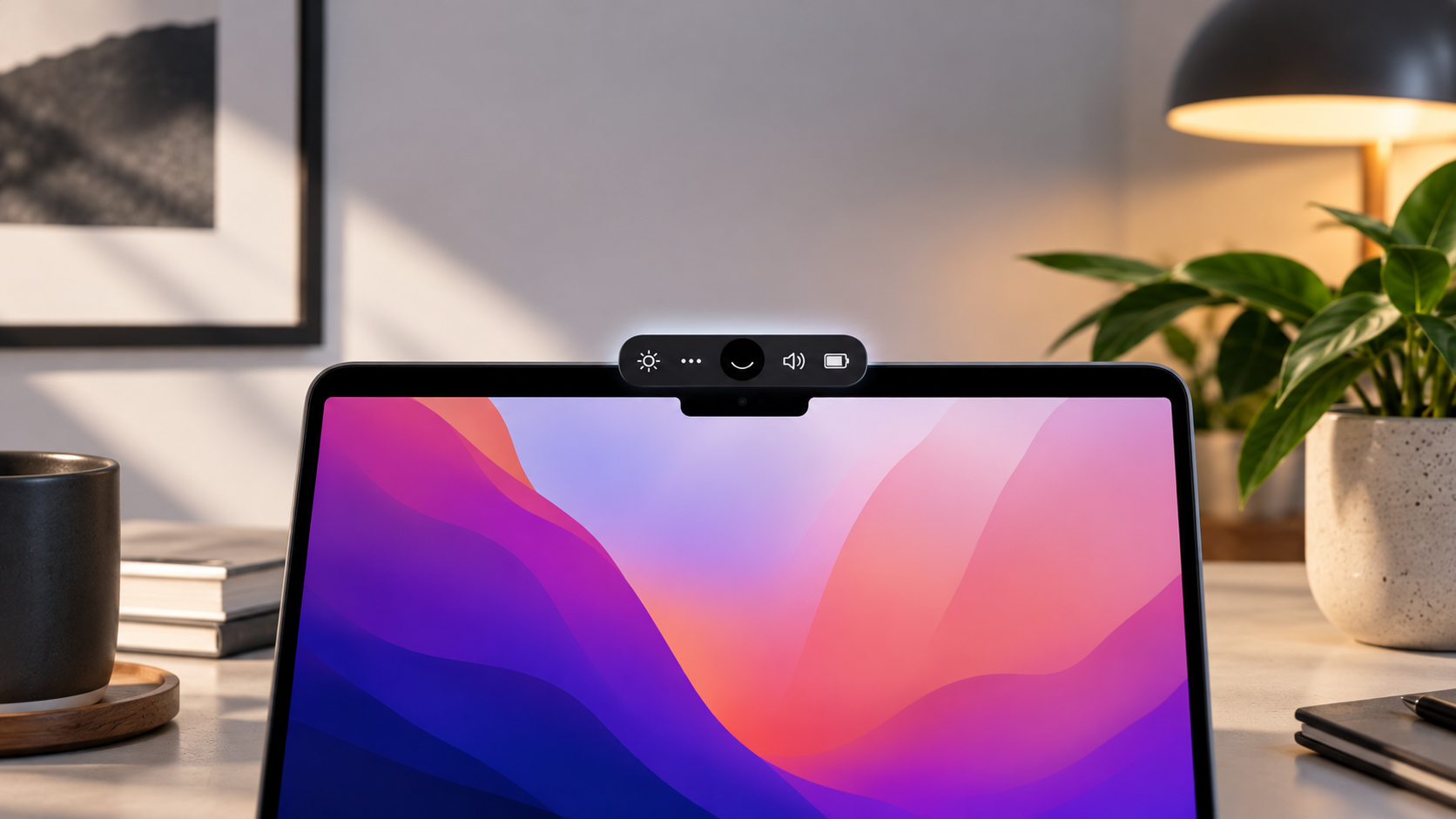
Boring Notch is a free macOS utility that turns the camera cutout on MacBook displays into an expandable panel, in the spirit of Dynamic Island on iPhone. It lives in the menu bar, stays collapsed until you hover or drop something onto it, then opens into a control surface for music, files, system HUDs, calendar, and battery.
The project launched in 2024 under the TheBoredTeam organization on GitHub and has become one of the more active open source Mac apps around. A small group of maintainers handles releases, outside contributors fill in features (the 2.7 release credited ten first-timers), and translations run through Crowdin.
| Developer | TheBoredTeam (community project, GitHub) |
| Current stable version | 2.7.3 "Flying Rabbit", released 24 November 2025 |
| Price | Free. Optional Ko-fi donations. |
| License | GPL-3.0, full source on GitHub |
| System requirements | macOS 14 Sonoma or later, Apple Silicon or Intel |
| Install options | DMG from GitHub releases, or Homebrew cask |
| Works without a physical notch | Yes, zero-height notch mode |
| GitHub activity (checked September 2026) | 10,600+ stars, 960+ forks, 1,260+ commits, 240+ open issues |
Features, one by one
The early builds were basically a music widget. Here's what 2.7.3 ships with, and where each piece landed or was last reworked.
Reworked in 2.7 Music player and visualizer Album art, track info, scrubber, and a visualizer that reacts in real time. The control row is editable: skip 15 seconds either way, adjust the music app's volume, favorite a track in Apple Music or YouTube Music, and reorder or remove buttons. Synced lyrics are in beta. | Shelf 2.0 in 2.7 File shelf with AirDrop Drag files onto the notch and they wait there. Right-click for a context menu, Shift or Cmd to multi-select, double-click to open. Dragging out moves the file by default; hold Option to copy. The shelf opens on its own when a drag nears the notch, and extra sharing services can be enabled in Settings. |
Complete in 2.7, refined in 2.7.3 HUD replacement Swaps the stock macOS volume, screen brightness, and keyboard brightness overlays for sliders inside the notch. Cmd plus the brightness keys drives the keyboard backlight, Option triggers an alternate action you choose, and Option plus Shift steps in finer increments. 2.7.3 added percentage readouts and the volume click sound. | New service in 2.7 Calendar and Reminders Upcoming events show inside the expanded panel. You can hide all-day events, auto-scroll to the next one, and stop long titles being cut off. Reminders integration is ticked off on the roadmap. |
Expanded in 2.7 Battery and charging Shows percentage, charging state, low power mode, and maximum capacity, with configurable indicators and notifications. Clicking the icon jumps to the matching System Settings pane. | Camera toggle added in 2.7 Mirror and camera toggle A quick mirror for checking your hair before a call, plus a camera on and off switch. Faster than opening Photo Booth. |
Zero-height mode since 2.7 Gestures and sizing Customizable open and close gestures, plus sizing options that go down to zero height. That's what makes it usable on iMacs, Mac minis, and external monitors. | 2.7 Fullscreen, lock screen, and privacy Better fullscreen detection, the panel appears on the lock screen, and a setting hides the notch from screenshots and recordings. That last one saved me a lot of retakes. |
How to install Boring Notch on macOS
Installation takes five minutes, but first launch trips up almost everyone. The team has no Apple Developer account, so the app isn't notarized and macOS refuses to open it until you clear the quarantine flag.
| 1 | Download the DMG Grab boringNotch.dmg from the GitHub releases page. Skip download mirrors; they repackage old builds. |
| 2 | Move it to Applications Open the DMG and drag Boring Notch into your Applications folder. Don't launch it yet. |
| 3 | Clear the quarantine flag The maintainers recommend Terminal because the System Settings route fails for some people and never works on non-admin accounts. Paste this and press Return:
Prefer to avoid Terminal? Open the app once, dismiss the warning, then go to System Settings, Privacy and Security, and click Open Anyway at the bottom. |
| 4 | Launch and grant permissions Walk through onboarding, then click the star icon in the menu bar for Settings. Calendar, Reminders, and camera access are requested only when you switch those features on. |
Homebrew shortcut. One command installs the app and skips the Gatekeeper warning entirely:
| |
| YouTube Music users: control runs over WebSocket and needs the Pear Desktop client (formerly YouTube Music Desktop) at version 3.11 or newer. |
Is Boring Notch safe?
Unsigned is not the same as unsafe, but it's a fair question. Here's what I checked.
| Source code | Fully public on GitHub under GPL-3.0. Anyone can read it or build it with Xcode 26 on macOS 15.6 or later. |
| Release builds | Produced by GitHub Actions and tagged with GitHub's verified signature, so the DMG matches the tagged commit. |
| Security policy | A SECURITY.md was added in the 2.7 cycle with a disclosure process. |
| Private APIs | Now Playing data comes through a bundled MediaRemote adapter, adopted after macOS 15.4 restricted the private framework. Several other notch apps take the same route. |
| Permissions | Calendar, Reminders, camera, and accessibility are opt-in per feature. |
| Network | Update checks and album art fetches. No accounts, no sign-in. |
My take: the risk profile matches any popular open source Mac utility. Just download from the official repository or the Homebrew cask, never a mirror.
Hands-on: what worked and what didn't
I tested every media source I use, then spent the rest of the time living with it.
| Media app | Controls | Artwork | Notes from my testing |
|---|---|---|---|
| Apple Music | Full | Yes | Worked from first launch. 2.7.3 fixed a bug where the app launched Apple Music on its own. |
| Spotify | Full | Yes | Rock solid. 2.7 added automatic artwork cache cleanup, so it no longer quietly fills your disk. |
| YouTube Music (Pear Desktop) | Full | Yes | Needed a client update to 3.11 first. After that, seek, shuffle, and favorites behaved. |
| Browser tabs, VLC, others | Partial | Varies | Anything reporting to macOS Now Playing shows up through the adapter, but a Safari YouTube tab sometimes didn't register until I paused and resumed. |
What stumbled
None of these were deal-breakers, but you should know going in.
· Hover delay. The default felt slow, so I lowered it in Settings. Two minutes of tuning and the panel felt instant.
· Shelf thumbnails. Once, after an AirDrop transfer, a file showed as a blank box until I clicked it. It's a known report on the issue tracker.
· Display switching. Unplugging my external monitor once left the panel slightly offset until I relaunched.
· Lyrics beta. Timing drifted on a couple of tracks. It's labelled beta for a reason; a community fork (below) goes much further.
Battery and performance
This decides whether a notch app stays installed on a laptop. Boring Notch runs as a main app plus an XPC helper, so you'll see two entries in Activity Monitor.
| State | What I saw | Recommendation |
|---|---|---|
| Idle, collapsed | Near zero CPU, negligible memory | Leave it running |
| Music playing, visualizer off | Low single-digit CPU on track changes, idle otherwise | Fine on battery |
| Music playing, visualizer on | Sustained CPU load the whole time audio plays | Switch off when unplugged |
| Long sessions | No memory growth across a full work day | Older builds leaked; 2.5 and 2.6 fixed that |
The visualizer is the one feature I'd call a luxury. It looks great at a desk and it's the first thing I turn off on a train. Everything else stayed light enough to forget.
Pros and cons
What I liked · Free and open source, with a public roadmap · Shelf 2.0 is the best drag-and-drop pocket in any notch app I've tried · HUD replacement covers volume, screen brightness, and keyboard brightness · Works on Macs and monitors without a physical notch · Screenshot privacy and lock screen support · Active Discord, quick turnaround on bug reports | What bugged me · Unsigned, so first launch needs a Terminal command or settings workaround · The visualizer costs real CPU and battery · Shelf thumbnails and Now Playing detection misfire now and then · No widgets, weather, or extension system yet · Notifications remain "under consideration" · YouTube Music support depends on a specific third-party client version |
Boring Notch vs NotchNook, Alcove, and Seam
The category has filled up fast. Here's how the main options line up on what decided it for me: price, open code, and whether they cover the shelf and HUD features I lean on most.
| App | Price | Open source | File shelf | HUD replacement | Standout |
|---|---|---|---|---|---|
| Boring Notch | Free | Yes | Yes, with AirDrop | Yes | Visualizer, calendar, reminders, camera mirror |
| NotchNook | $25 once or $3 a month, also on Setapp | No | Yes, with AirDrop | Yes | Widgets, Shortcuts integration, haptics, signed and notarized |
| Alcove | Paid | No | No | Yes | Live activities, swipe gestures, lock screen presence |
| Seam | $19.90 once | No | No | Yes | Focus timer, AirPods status, very low battery impact |
| NotchIA | Free tier, paid Pro | No | Yes | Yes | Live status for Claude Code and Codex, on-device RSS digest, needs macOS 15+ |
| NotchDrop | Free to build, paid on the App Store | Yes, MIT | Yes, with AirDrop | No | File drop only. The project Boring Notch's first shelf was built on |
If you want widgets and Shortcuts triggers, pay for NotchNook. If battery life is all you care about, Seam is built around that. For everyone else, Boring Notch covers the shelf, HUDs, music, and calendar without a bill.
Roadmap and community forks
The README keeps a public checklist, which is more than most paid apps offer.
Shipped Playback live activity, calendar, reminders, mirror, charging indicator, customizable gestures, shelf with AirDrop, notch sizing for different displays, and system HUD replacement. | Still to come Bluetooth connect and disconnect activity, weather, customizable layouts, lock screen widgets, and an extension system. Notifications are listed as under consideration, not planned. |
Because the license allows it, forks are filling gaps ahead of the main project. Two worth a look:
· BoringNotch+ adds clipboard history, a Pomodoro timer, and a camera mirror toggle on top of the upstream app.
· lyrical.boring.notch replaces the beta lyrics with real-time scrolling lyrics in flowing, alternating, or stacked modes, with per-display settings and a timing offset. It re-synced with upstream 2.7.3 in late August 2026.
Who should install it
Get it if you · Keep music running all day and want controls without app switching · AirDrop files between devices several times a day · Find the stock macOS volume and brightness overlays ugly · Use an external monitor and want the same panel everywhere · Want to read or patch the code | Skip it if you · Work on a managed Mac that only allows notarized apps · Need widgets, Shortcuts triggers, or haptics (look at NotchNook) · Want the smallest possible battery footprint (look at Seam) · Expect notification mirroring in the notch |
Final verdict
| 4.5 Features | 4.5 Design | 3.5 Stability | 3.5 Battery | 5.0 Value |
After three weeks, Boring Notch is staying on my Mac. I expected a gimmick and came out with two habits I don't want to give up: dropping files into the notch instead of hunting for a Finder window, and adjusting volume without that grey square blocking the middle of my screen.
What surprised me was how quickly the rough spots faded. The Gatekeeper dance is a one-time thing. The visualizer is a toggle. The blank shelf thumbnail happened once. None of it changed how I felt by week two, and the issue tracker moves fast enough that I'd expect the next point release to sand down a few more edges.
The fair comparison: NotchNook does more and is notarized, but it costs money. Seam is lighter on battery, but it has no shelf. Boring Notch sits between them with the best free feature set in the category and a roadmap that keeps growing. If you own a MacBook with a notch and have ever wondered whether that black cutout could earn its keep, this is the app to try first. It costs nothing but a Terminal command.